How to Download GameChanger Softball Clips (2026 Guide)
Softball season is on. Don't lose those diving catches, RBI singles, and strikeouts looking — save them from GameChanger in one click.
Quick Answer
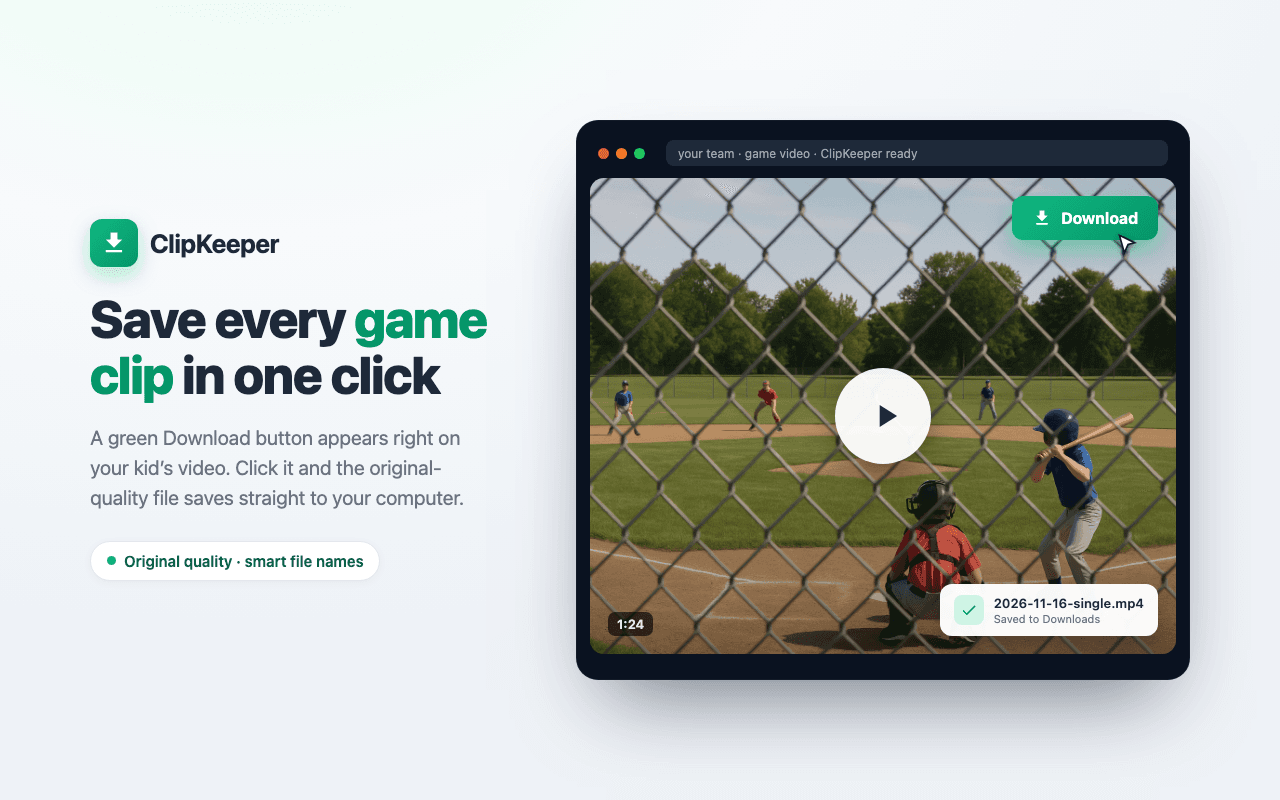
Install the free ClipKeeper Chrome extension, go to web.gc.com, open your softball game's Video tab, and click the green download button on any clip. Clips save to your computer in seconds with smart filenames.
1Softball season is here
Spring softball is in full swing. GameChanger is capturing every at-bat, every pitch, every diving play in the gap. Your daughter's first hit of the season, the strikeout looking to end the inning, the game-winning single — it's all there on video.
But just like every other sport on GameChanger, there's no download button in the app. Those highlights are stuck on the platform unless you know the workaround every softball family is starting to use.
2Why softball parents download clips
Fastpitch seasons run hard. Between rec league, travel ball, showcase tournaments, and school season, a 14-U or HS player easily racks up 60+ games of GameChanger-recorded footage. You'll want the clips for more than just memories:
What softball parents use downloaded clips for:
- ✓Build recruiting reels — NCAA softball recruiting is earlier and more video-driven than baseball
- ✓Pitching-specific reels — velocity, movement, location from the same angle across a season
- ✓Hitting-specific reels — batting-practice style cuts from live game at-bats
- ✓Share RBI hits and big defensive plays with grandparents in real time
- ✓Review mechanics with a hitting or pitching coach off-platform
- ✓Keep your own copy of the season, independent of any app
- ✓Post highlights to Instagram Reels and TikTok for exposure
Travel-ball and HS parents especially need downloads for recruiting. The softball recruiting timeline moves earlier each year, and a clean highlight reel is table stakes.
3Step-by-step: download softball clips
Step 1: Install ClipKeeper
Install the free ClipKeeper extension from the Chrome Web Store. It works with every sport on GameChanger, including all fastpitch softball leagues.
Install ClipKeeper FreeStep 2: Open GameChanger
Go to web.gc.com and log in with the account that has access to your softball team. Desktop Chrome only — the extension doesn't run on mobile.
Step 3: Find your softball game
Pick your team, then the game you want clips from. Open the Video tab (sometimes labeled Clips or Highlights) to see every play GameChanger auto-generated from the scorebook.
Step 4: Click download
A green download button appears on each clip card. Click it and the video saves to your Downloads folder with a smart filename (player, inning, play type). With ClipKeeper Pro, you can batch download an entire game at once — useful for a 7-inning game with 20+ clips.
4Types of softball clips you can download
GameChanger auto-creates a clip for every scored play. On the softball side that includes:
Offensive plays
- Singles, doubles, triples, home runs
- RBIs and runs scored
- Sacrifice bunts and squeeze plays
- Stolen bases
- Walks and hit-by-pitches
Defensive & pitching plays
- Strikeouts (looking and swinging)
- Pitching-circle appearances by inning
- Putouts — infield, outfield, at-the-plate
- Double plays and caught-stealing
- Errors (if you want them for review, not a reel)
Pitchers specifically benefit from downloading a consistent camera angle across a whole season — that's how coaches spot mechanics drift or changes in movement. If you're also tracking velocity, ClipKeeper pairs well with the Pocket Radar + GameChanger workflow.
5What to do with your softball clips
Once your downloads are on your computer (MP4 or .ts, depending on game age), you've got options:
- ✓Build a recruiting reel — best clips from the season, under 3–4 minutes
- ✓Cut a pitching-only or hitting-only reel — college coaches like position-specific reels
- ✓Share big plays on Instagram Reels / TikTok (convert to MP4 first)
- ✓Archive the full season to Google Drive or iCloud
- ✓Send clips to your hitting or pitching coach for mechanics review
Not sure what editor to use? See the free highlight-reel editors that parents actually like. Need MP4 for Instagram? Our .ts file guide walks through converting in 30 seconds with VLC.
Frequently Asked Questions
Does ClipKeeper work for fastpitch AND slowpitch softball?
Yes. GameChanger scores both fastpitch and slowpitch identically, and ClipKeeper downloads the resulting clips the same way. Rec leagues, travel ball, and high school softball all work.
Can I download travel ball and showcase tournament clips?
Yes — if your travel team or showcase uses GameChanger to score and stream, every clip is downloadable. Many of the big summer showcases (PGF, Colorado Sparkler, Boulder IDT) have GameChanger coverage.
Do I need the GameChanger video subscription?
You need access to the videos through your account. If you can watch a clip in the GameChanger app or on web.gc.com, ClipKeeper can download it. ClipKeeper doesn't grant access to clips your account can't already view.
How long does a full-season backup take?
A typical 40-game travel season with ~25 clips per game is about 1,000 clips. With ClipKeeper Pro's batch download, the full season typically takes 30–60 minutes on a modern laptop. See the season backup guide for a step-by-step.
What file format do softball clips download as?
New clips download as MP4 (widely compatible, plays everywhere). Older archived games still arrive as .ts (MPEG Transport Stream) — GameChanger's original streaming format, plays in VLC on any device. ClipKeeper names each file with the correct extension automatically. See our complete .ts file guide for playback and conversion on the .ts case.
Don't lose a single at-bat
Download every softball clip from GameChanger — hits, strikeouts, diving catches. Free forever with 3 downloads per week, or go Pro for unlimited batch downloads.
Get ClipKeeper FreeWritten by
Casey JessupClipKeeper Founder | Parent of youth athletes helping families preserve sports memories
Related Articles
Spring Softball Video Checklist for Parents (2026)
A parent guide to capturing your fastpitch player's spring season: week-by-week capture plan, must-have clips for recruiting, GameChanger settings, and end-of-season reel prep.
Youth Softball Recruiting Video Guide for Parents (2026)
Build a recruiting video that gets noticed by college softball coaches. NCAA recruiting calendar, the clips that actually matter, how to build a reel from GameChanger, and age-tier advice for 12-U through HS seniors.
How to Share Your Kid's Baseball Highlights With Grandparents (2026)
Grandma lives three states away and can't make it to the game. Here is how to download your kid's GameChanger clips and share them with grandparents, aunts, and uncles by text, email, Google Drive, or a private family link.