How to Make a Highlight Reel from GameChanger (Beginner Guide)
Trim the dead time out of a full game and turn your best plays into a short highlight reel, even if you have never edited video.
Quick Answer
Get the video onto your computer first (download the clips or full game from GameChanger with ClipKeeper), then build the reel in a free editor like CapCut: drop your best clips on the timeline in order, split out any dead time, and export an MP4. For highlights, using the individual clips is far easier than editing a whole game.
1Two Ways to Do It (Pick the Easy One)
There are two paths to a highlight reel, and one is a lot less work than the other:
- ✓Trim a full game down: download the whole game, then cut out the dead time between innings and pull out the good plays. Powerful, but slow.
- ✓Build from clips: download the individual plays GameChanger already created and just arrange the best ones. Much faster, and the obvious choice for a highlights or best-plays cut.
For a family or recruiting reel, go with the clips. You only edit the full game if you want the complete thing on your computer, or you need a moment GameChanger did not clip.
2The Shortcut: Use the Clips, Not the Whole Game
GameChanger already breaks a game into individual plays, so the editing work is half done before you open an editor. The trick is getting those clips out of GameChanger and onto your computer.
Download the clips you want
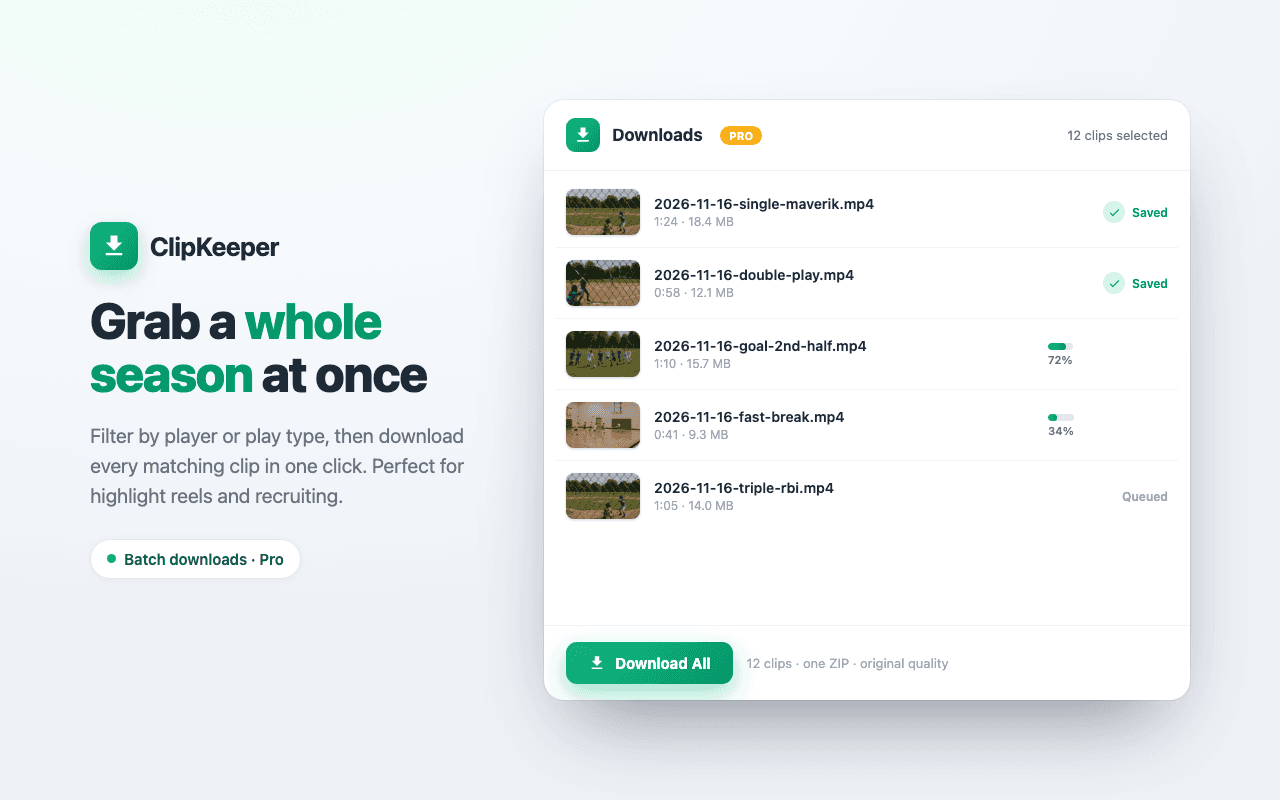
With the free ClipKeeper Chrome extension, open your game on web.gc.com and click Download on each clip you want. Each play saves as its own file with the player and play type in the name (like Maverik_Jacks_Double_Inning3), so they are easy to find later. Pro users can batch download every clip from a game, or filter to one player, in one click.
New to this? Start with our guide on how to download GameChanger videos.
3Pick a Beginner-Friendly Editor
- ✓CapCut (recommended): free, works on desktop or phone, and forgiving for first-timers. This is where most parents should start.
- ✓iMovie: great and simple if you are on a Mac or iPhone.
- ✓DaVinci Resolve: the most powerful, and free, but the steepest learning curve. Save it for when you want more control.
If you downloaded DaVinci and felt lost, that is normal. It is a pro tool. Switch to CapCut and the rest of this gets a lot easier.
4Trim the Dead Time Out of a Full Game
If you do want to work from the full game (in CapCut, same idea in any editor):
Import the full game
Open CapCut, start a new project, and drag the downloaded game file onto the timeline at the bottom.
Split out the dead time
Move the playhead to where a slow stretch starts (teams switching between batting and fielding, long gaps), hit the split tool, then split again where the action picks back up. Select the middle section and delete it. Repeat for each gap.
Export
Export as an MP4. That is your trimmed game, minus the boring parts.
5Build a Highlight Reel from Clips
This is the easy path and the one most people actually want:
Drop your clips on the timeline
Import the clips you downloaded and drag them onto the timeline in the order you want them to play. Lead with your best one.
Tighten each clip
Trim the start and end of each clip so it begins right before the action and ends right after. Short and punchy beats long and complete.
Export and share
Export as an MP4 and send it to the grandparents, or upload it for recruiting. Aim for 1 to 3 minutes.
6Keep It Organized
A simple folder system by date and opponent saves a ton of time once you have a season of footage. Pull only the key at-bats, pitching sequences, and defensive plays into a "best of" folder as you go, instead of editing from one giant pile of full games at the end of the year. Future-you will be glad you did, especially if your player ends up needing a recruiting video.
7FAQ
Do I have to edit the full game, or can I just use the clips?
For a highlight reel, use the clips. GameChanger already splits a game into individual plays (at-bats, pitching, defense), so if you download those clips you skip the trimming entirely and just arrange the ones you want. Editing a 2 hour full game from scratch is the hard way to do it.
What is the easiest free video editor for a beginner?
CapCut. It is free, runs on desktop or phone, and is much simpler than DaVinci Resolve. iMovie is a good option if you are on a Mac. DaVinci is powerful but it is the steepest learning curve of the three, so it is not where most parents should start.
How do I cut out the time between innings?
In CapCut, drop the full game on the timeline, move the playhead to where the dead time starts, use the split tool, split again where the action picks back up, then delete the middle piece. Repeat for each gap. It is tedious on a full game, which is why downloading the individual clips is usually easier.
How long should a highlight reel be?
For family sharing, shorter wins. A 1 to 3 minute reel of the best plays gets watched far more than a cleaned-up full game. For recruiting, coaches also want short and focused. Lead with your best play.
Can I do this on my phone?
Yes. CapCut has a mobile app, so you can edit on a phone or tablet. Downloading the clips from GameChanger needs a computer (the ClipKeeper extension runs in desktop Chrome), but once the files are saved you can edit them anywhere.
Get Your Clips First
A highlight reel starts with the clips on your computer. ClipKeeper saves every GameChanger clip and full game in original quality, named and ready to edit.
Install ClipKeeper FreeRelated Articles
How to Share Your Kid's Baseball Highlights With Grandparents (2026)
Grandma lives three states away and can't make it to the game. Here is how to download your kid's GameChanger clips and share them with grandparents, aunts, and uncles by text, email, Google Drive, or a private family link.
End-of-Summer Baseball Video Backup: Save the Season Before You Forget (2026)
Summer ball is wrapping up and fall is coming. This is your last clean window to download every GameChanger clip before life gets busy. A simple folder system, batch download plan, and cloud backup checklist for parents.
How to Download GameChanger Softball Clips (2026 Guide)
Save your fastpitch athlete's at-bats, strikeouts, and diving catches from GameChanger. Step-by-step guide for softball parents — free Chrome extension, one click per clip.
Written by
Casey JessupClipKeeper Founder | Parent of youth athletes helping families preserve sports memories